Including parent fields in queries
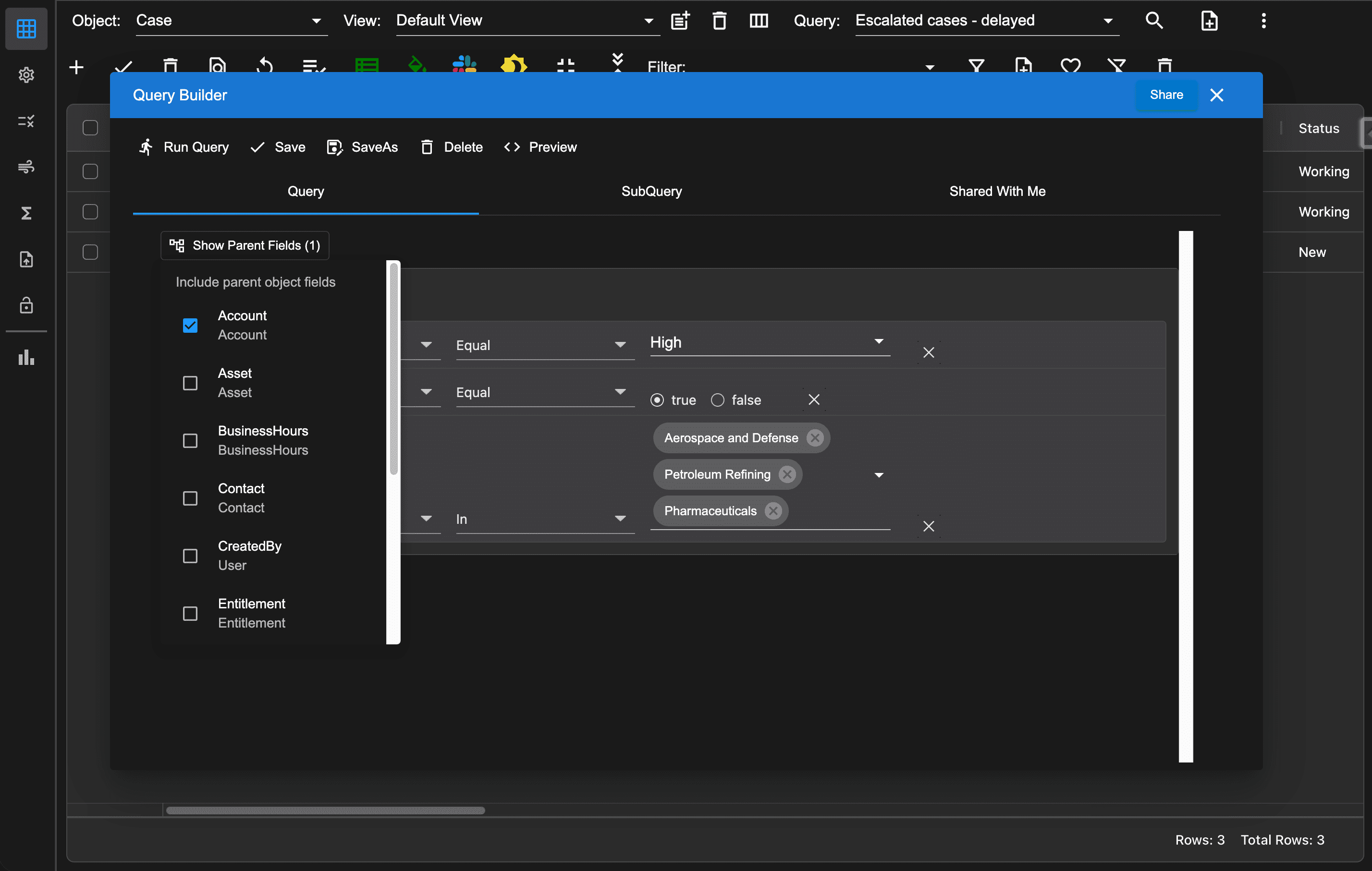
We added a killer new feature to the QueryBuilder wizard. You can now include a query clause that will filter records based on a parent relation field value.
Let's look at the results of a query demonstrating this new capability.
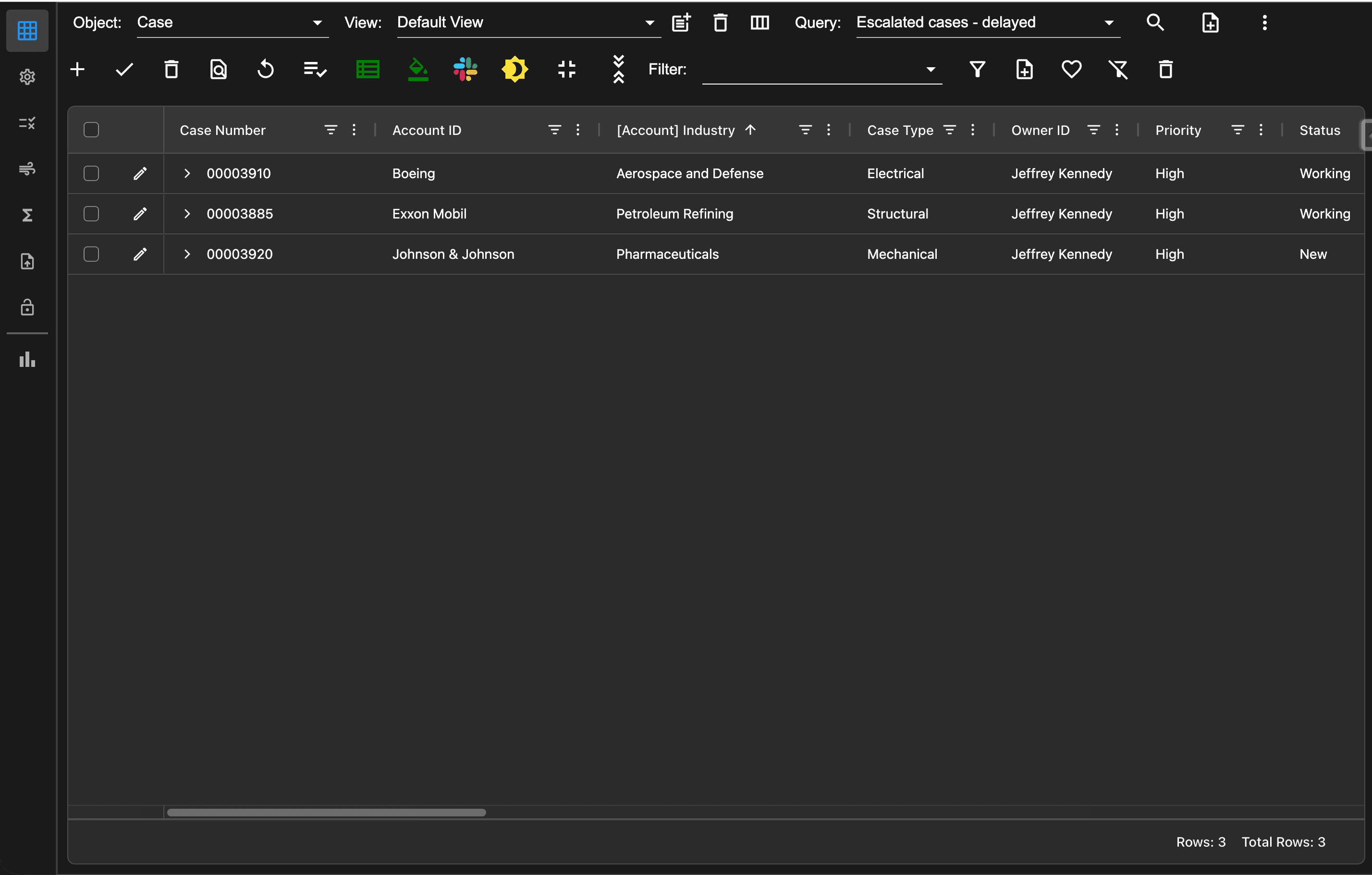
Notice that this view contains a parent relation field - [Account] Industry. We did not have to create a Salesforce formula field to view parent relationship data in our list views. That's one of the really nice features of our Column Wizard.
We can see that the Case records returned are those that have Account records who's Industry field contains any of the values 'Aerospace & Defense', 'Petroleum Refining' or 'Pharmaceuticals'. Now let's see how we create this query using the QueryBuilder.
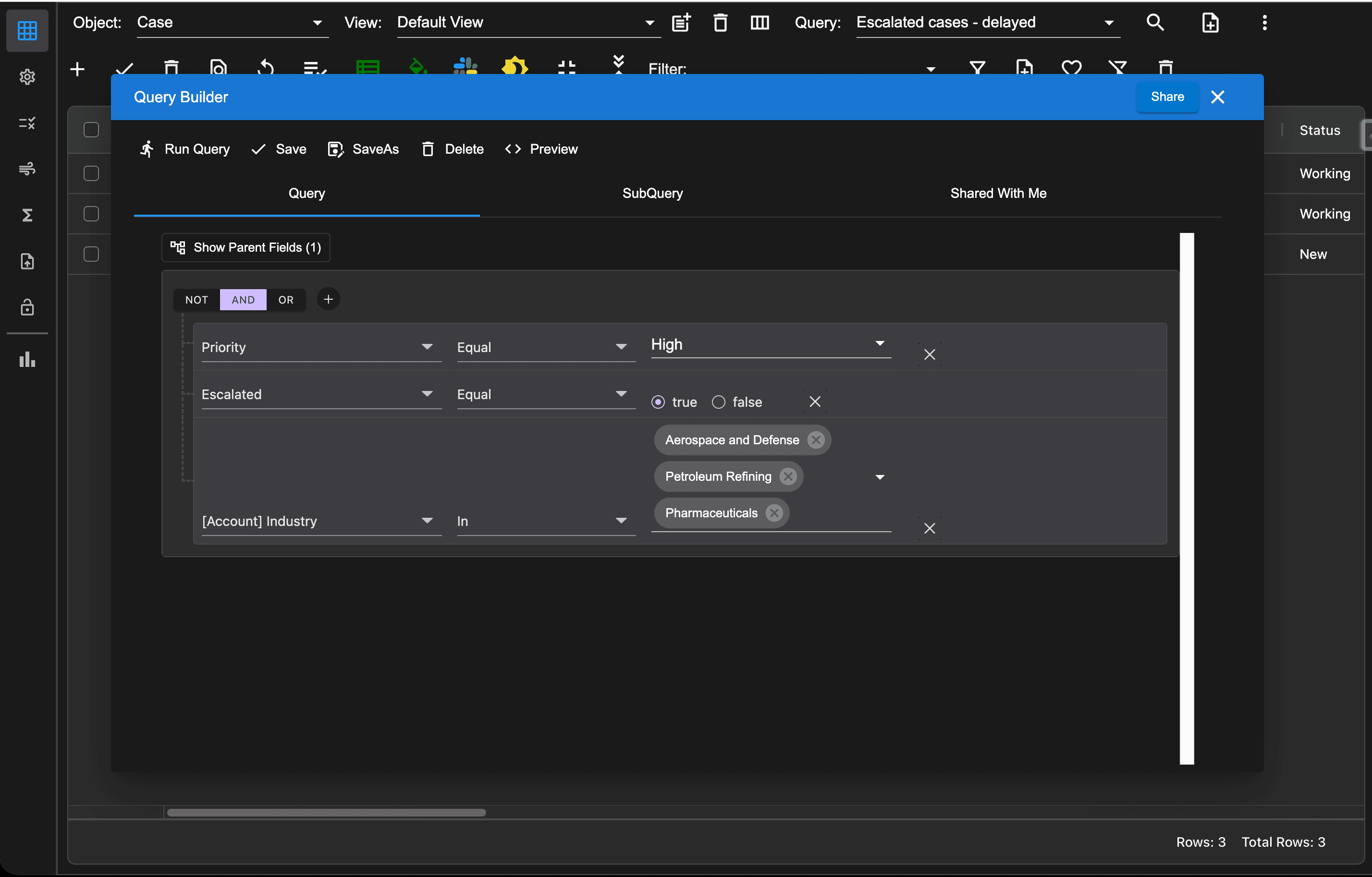
In the query rules, we only return Case records that have a high priority and are escalated. We added a query clause to only return records where the [Account] Industry value has one of the specified values. All these conditions must be true for the record to be returned in the query results.
The subquery rule is defined like this:
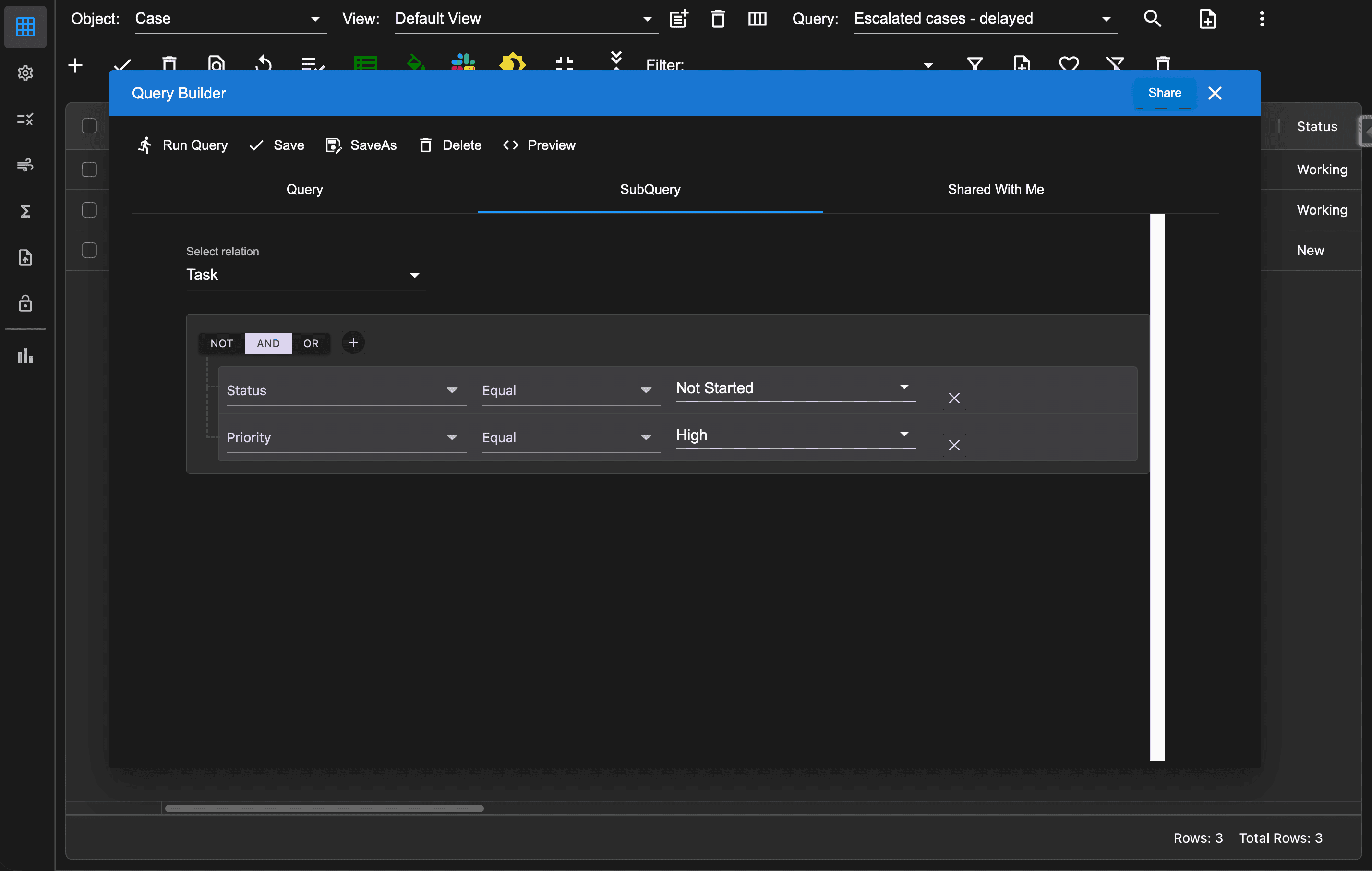
The subquery rules add additional filtering logic to restrict the result set to only those Case records which have a high priority Task which is not started.
The power of QueryBuilder to return the exact set of records needed for a business process is a game changer. No longer do users scroll through records trying to find what they need to perform their work.
These are the types of questions Salesforce users ask every day and cannot get answers to using the native Salesforce UI.