Kanban view

May 19, 2026

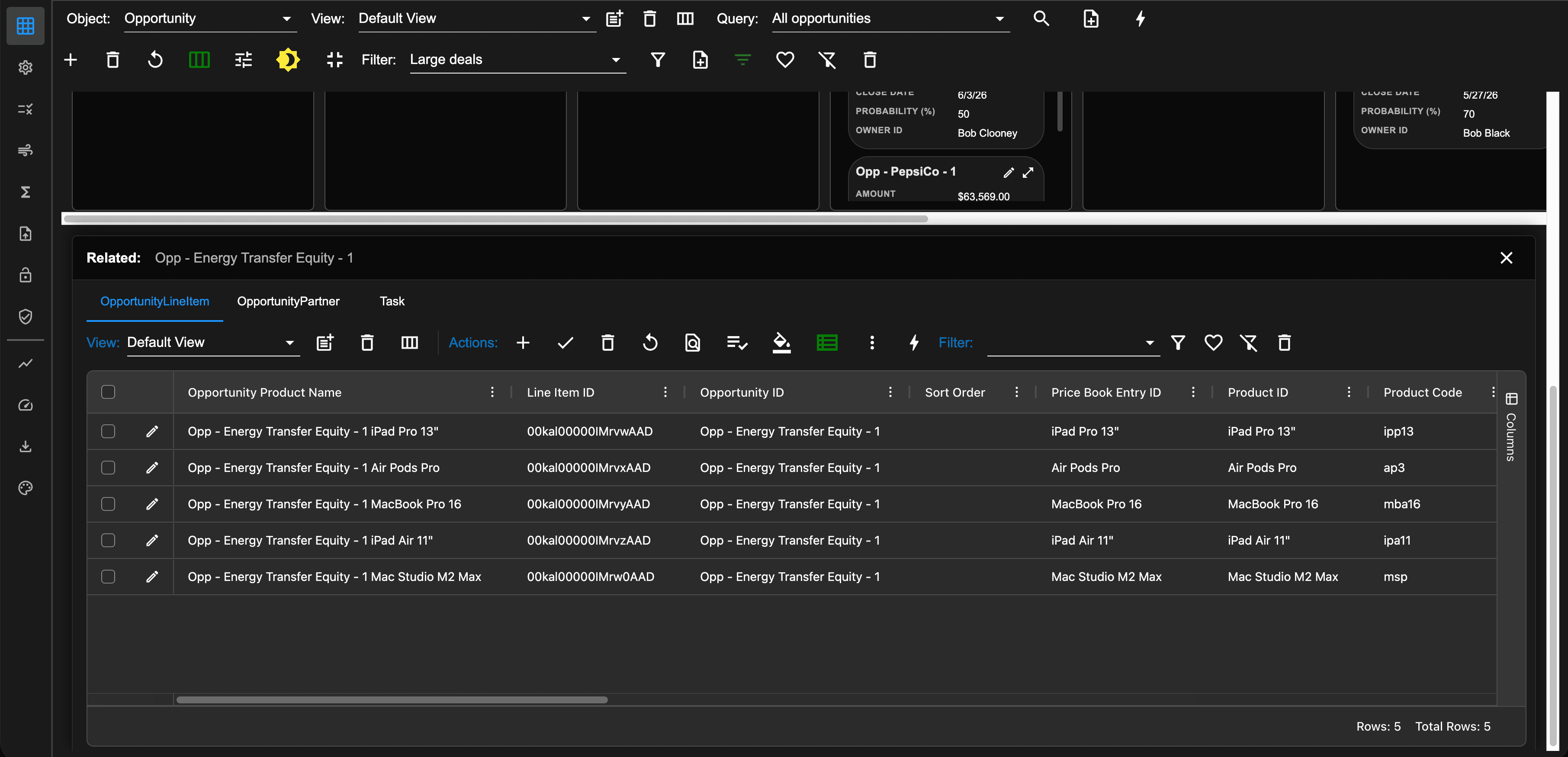
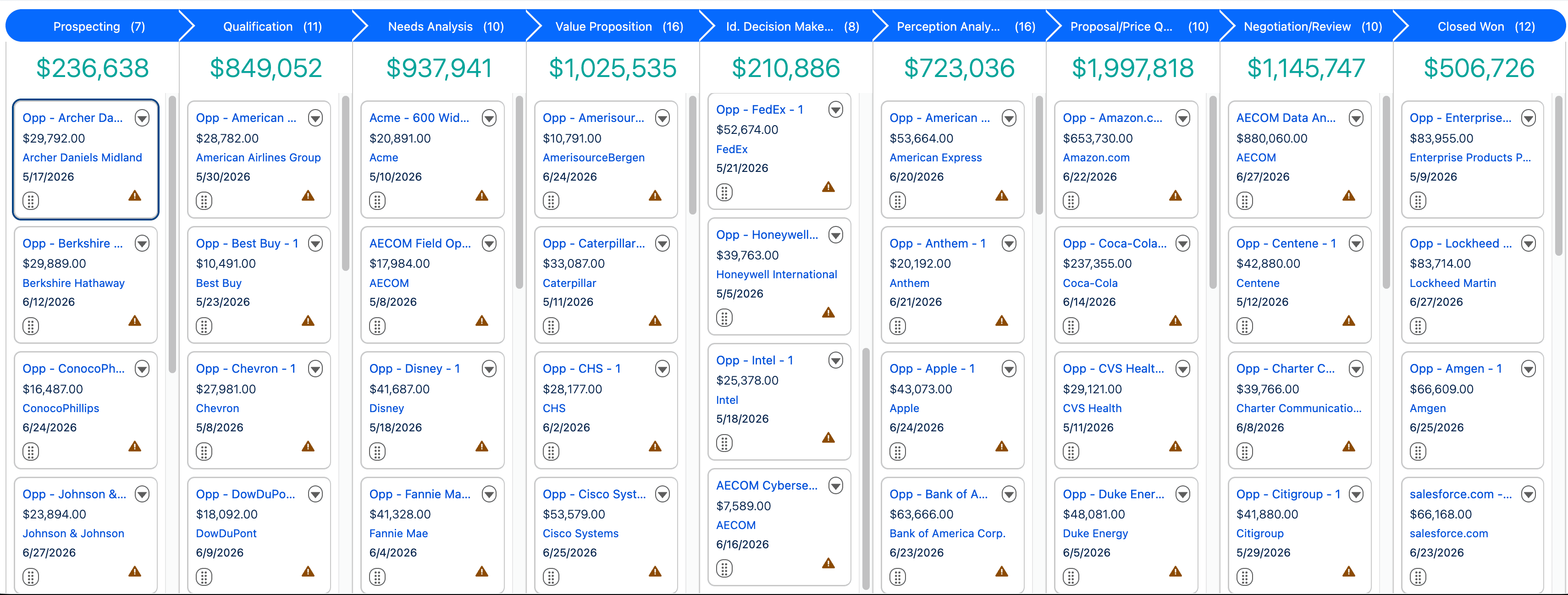
We continue to enrich the AppGrid user experience with the addition of the Kanban view. When viewing data in the AppGrid list view, users can display the Kanban view by clicking the Kanban button in the grid toolbar.

Faster Understanding of Workflow State

Kanban groups records visually into columns like:

  • To Do

  • In Progress

  • Waiting

  • Done

That lets you understand the overall state of work almost instantly.

Better for Managing Process Flow

Kanban is excellent when records move through stages.

Examples:

  • sales pipelines,

  • support tickets,

  • development tasks,

  • approvals,

  • recruiting.

You can immediately see:

  • bottlenecks,

  • overloaded stages,

  • stalled work,

  • uneven distribution.

A list view hides flow patterns because everything is flattened into rows.

Drag-and-Drop Interaction

The AppGrid Kanban view allows moving cards between columns which updates some type of status field.

That makes updates:

  • faster,

  • more intuitive,

  • lower friction.

Instead of:

  • opening a record,

  • editing a status field,

  • saving,

you drag the card to a new stage.

Stronger Visual Prioritization

Kanban cards can visually emphasize:

  • urgency,

  • owner,

  • due dates,

  • value,

  • blockers,

  • tags,

  • SLA breaches.

Humans process visual organization much faster than tabular data.

Important items stand out immediately.

Easier Team Coordination

Kanban is often better for shared operational work because everyone can see:

  • who owns what,

  • current workload,

  • blocked items,

  • stage capacity.

It creates a “shared operational picture.”

List views are more individual-task oriented.

Better Detection of Bottlenecks

A huge Kanban advantage is identifying congestion.

For example:

  • 3 items in “Review”

  • 42 items in “QA”

That immediately signals a problem area.

In a list, bottlenecks are much harder to notice.

Supports Work-In-Progress Limits

Kanban naturally supports WIP (Work In Progress) management.

Teams can intentionally limit:

  • active tasks,

  • open deals,

  • review queues.

That often improves throughput and reduces context switching.

More Engaging for Non-Technical Users

Many users find Kanban:

  • easier to learn,

  • more modern,

  • less intimidating,

  • more interactive.

Especially for:

  • sales teams,

  • operations,

  • marketing,

  • customer success.

Tables can feel dense and spreadsheet-like.